
Location: the container everything else in Pacer is built around.
Most project tools treat location as a field. Pacer treats it as the container everything else is built around.
That difference is why your reporting is fragmented, your teams work in silos, and no one can get a single number for how a property is really doing without picking up the phone.
A Location is the container every task belongs to, no matter which team assigned it or who's allowed to see it. Everything else in Pacer is built on top of that one fact.
What that changes, in practice:
Most tools were built around the project, or the team, or the individual assigned to a task. Location was never the foundation. It got bolted on as a filter, a tag, a field you sort by after the fact. So every team that runs work through a location ends up building its own version of the truth: its own board, its own spreadsheet, its own way of tracking what's happening at the same address everyone else is also working at.
One container per address, no matter how many teams work there
Corporate and property, blended or split apart, from the same data
Auto-provisioned the moment the location exists
Auto-retired the moment it doesn't
You don't have to create a new location for every scenario
A location isn't built for one project, one team, or one kind of work. It holds as much as your business needs it to, all at once, all kept separate, all restricted to exactly the people who should see each piece.
Corporate & Property
Corporate can run tasks on a location the property team never sees, while the property team runs its own tasks corporate can see in full.
Franchisor & Franchisee
A private onboarding checklist and a franchisee's own task list live on the exact same location, with just enough overlap to show when work is being done on their behalf.
Every Initiative at Once
An HR policy rollout, a food and beverage compliance initiative, and a General Manager-only training course can all live on the same location at the same time, each one exactly as visible as it's supposed to be.
None of that required a new container. The work multiplied. The location didn't.
Blended together, or split apart. Same data, no rebuilding.
Blended: total progress across every task, every team, every project. One number for how this location is really doing.
Split: Communities decide who sees what, on the exact same underlying data. Nothing is duplicated to make that possible. Only the view changes, automatically, based on who's looking.
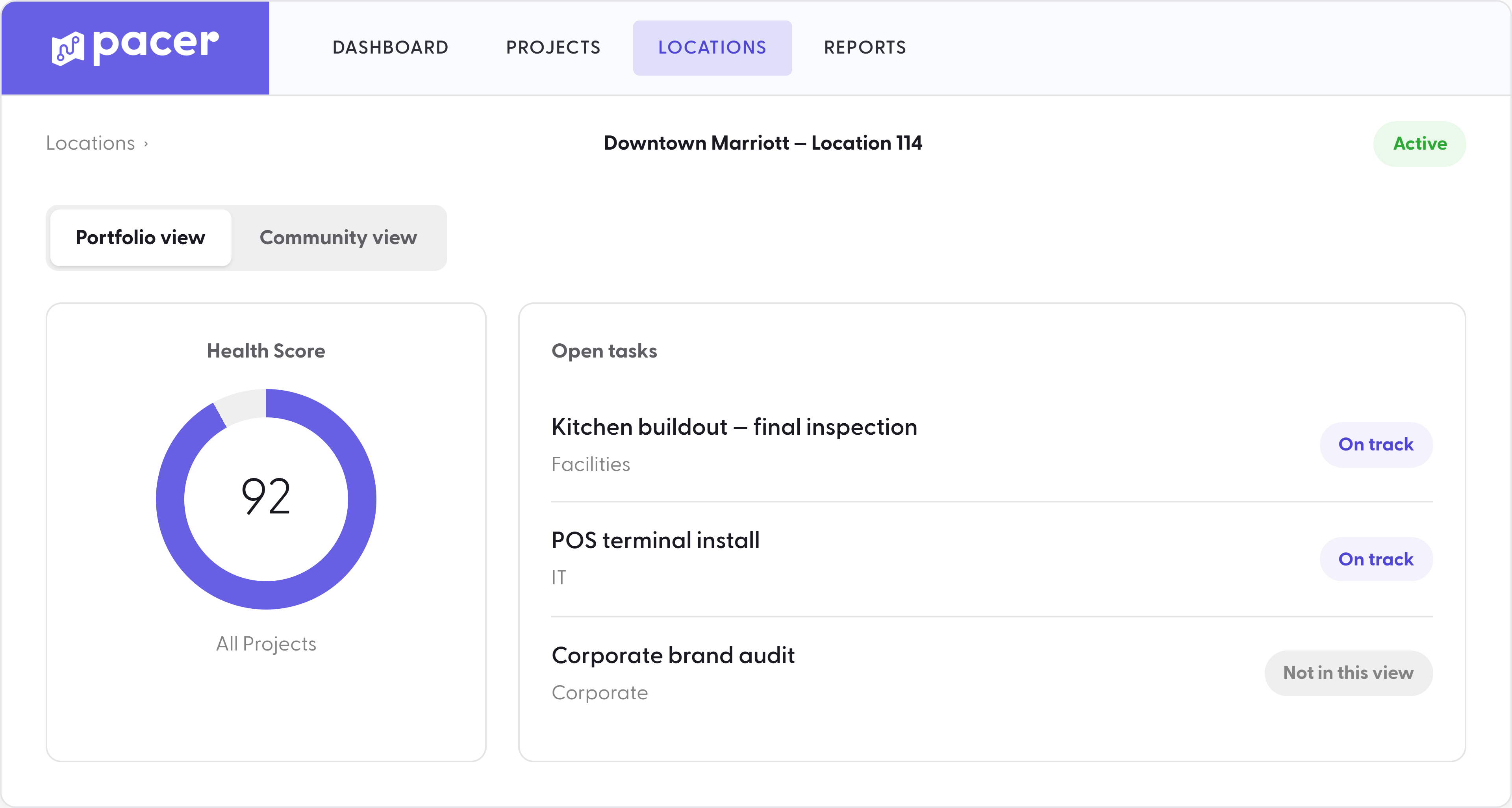
Every Pacer element adapts to locations
Create a location, and you're not just creating a record. You're automatically creating access dependencies on it. Dashboards, Portfolio Health, scheduled reports, and user access all reflect every change in location status. After creation, user Communities dictate whether or not the user sees data for that location.
Inactivate a location, and the reverse happens: it comes off Portfolio Health, its Dashboard retires with it, it drops out of the next scheduled report, and access built around it adjusts for every user it touched. Nothing lingers, and nothing has to be manually torn down.
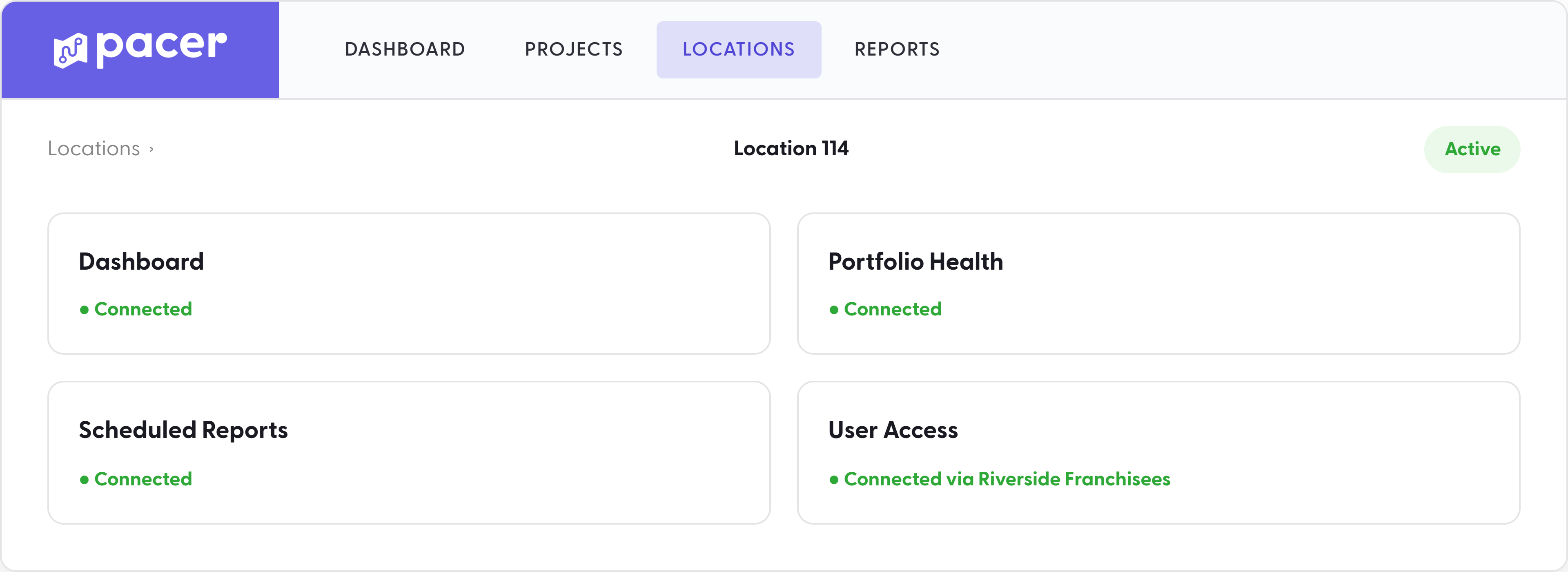
Locations that speak your language
Location Attributes let you set locations up to match how your organization already thinks: by brand, by region, by continent, by property type, whatever hierarchy your business runs on. Define a project's scope by attribute instead of adding locations one at a time, and fifty locations that meet the criteria get the project in the same motion as one.
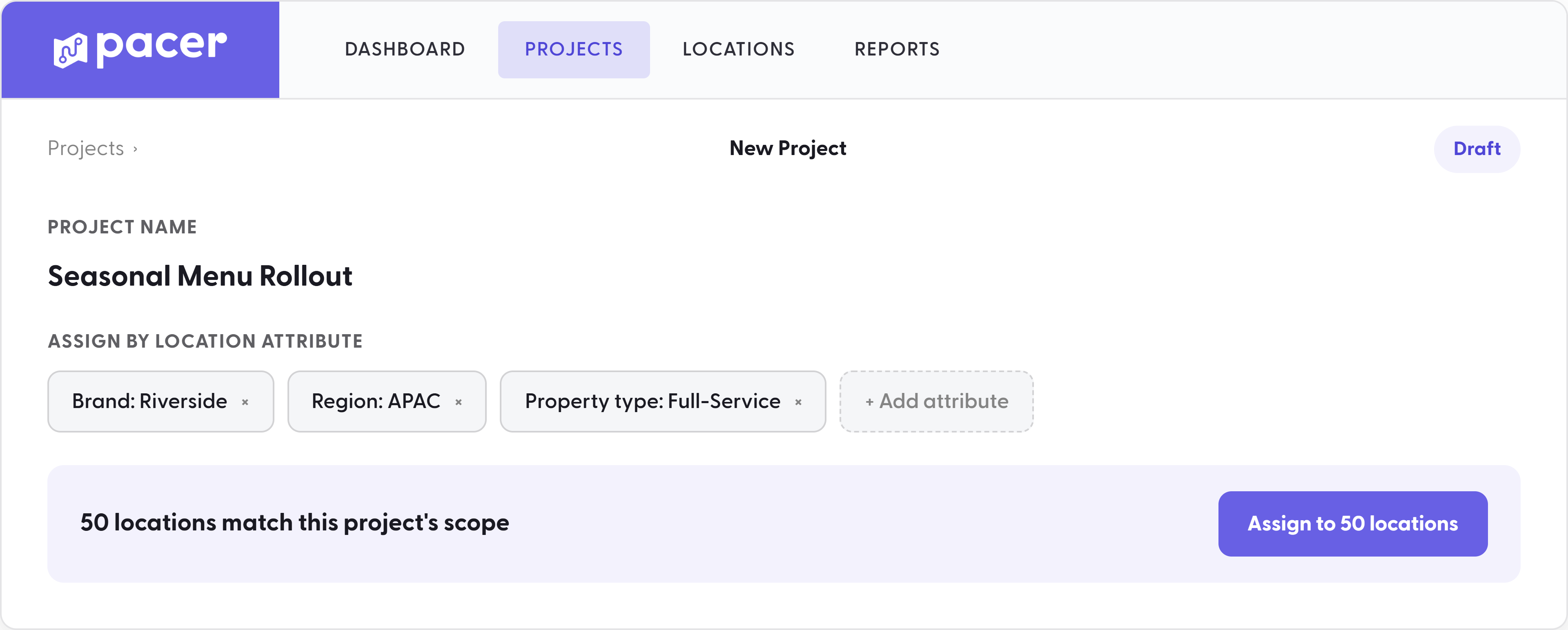
A location that knows what's active, and forgets what isn't
A location isn't a static folder. It's live. Assign a new project, and every task, workflow, and deadline it carries arrives on that location the same day. Retire a project, and it leaves the same way: cleanly archived, with nothing left behind for someone to manually clean up. The location only ever shows what's actually running there right now.
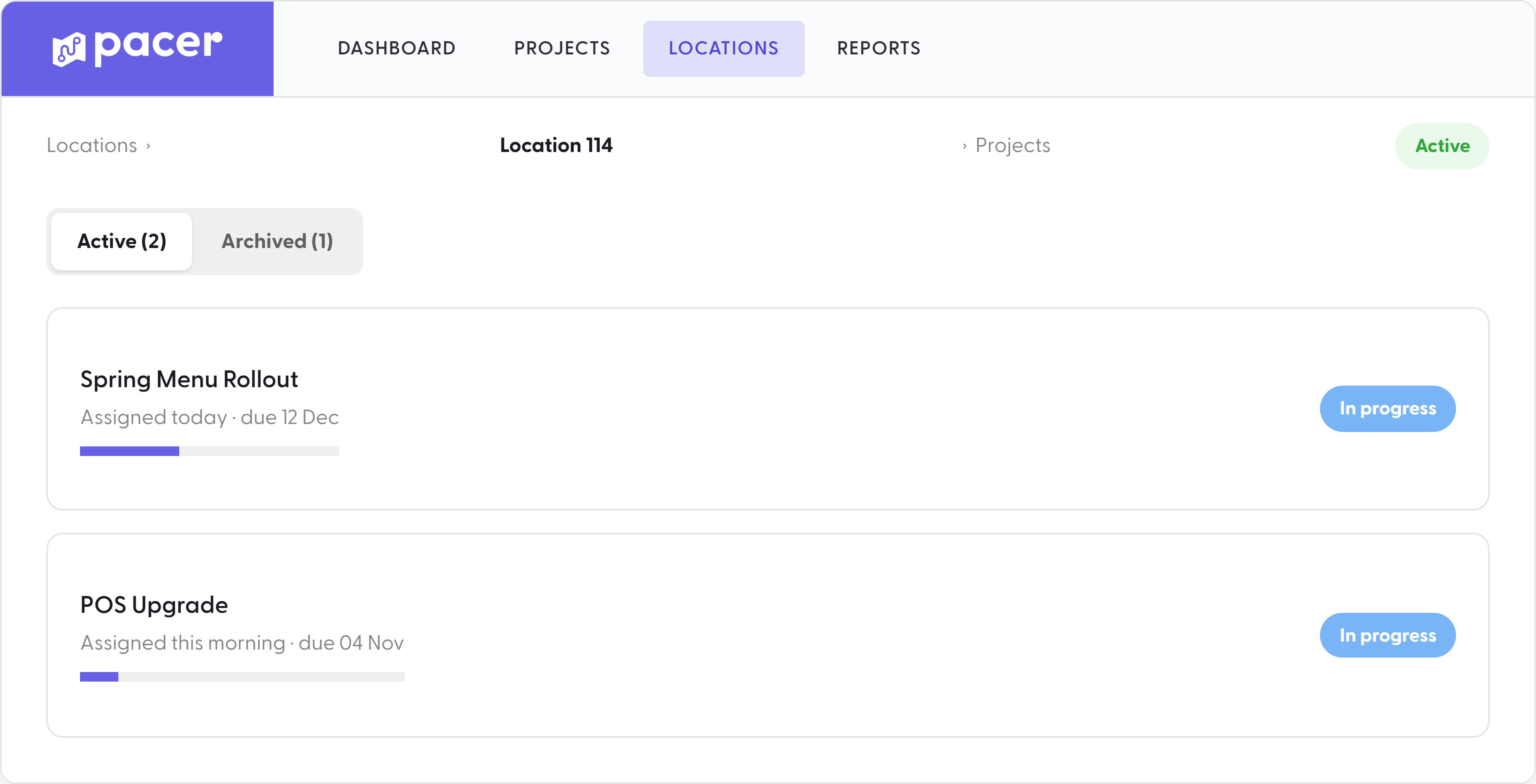
Nothing to set up. Nothing to maintain.
The Location container is one part of Pacer, multi-site project management software built for hospitality and franchise operators. See how Pacer works as franchise project management software for openings, transitions, and rollouts.
Most tools ask an admin to configure a new dashboard, a new report line, and a new set of permissions for every property that opens, then tear it all down when one closes. Pacer asks for nothing. The location was always going to need a home for its tasks, a place on the portfolio view, and a set of standards to follow. Pacer builds all three in from the moment the location exists.