Portfolio Health: the one page that tells a VP what to do next

A location falls behind schedule. You find out from the location, usually too late.

A VP does not have time to check forty properties one at a time, so they wait: for a call, an email, a status meeting where someone finally says the quiet part. By the time it reaches you, it is not a flag. It is a fire.

Pacer replaces the waiting with one page: Portfolio Health.

Not "show me everything." A VP walking into Portfolio Health is usually asking one of four questions:

Where do I need to intervene today?

Are we actually fine before the board meeting?

How is one initiative performing across every location it is running?

What do I say in the next ten minutes, with no analyst required?

Three widgets. Your organization decides which ones matter.

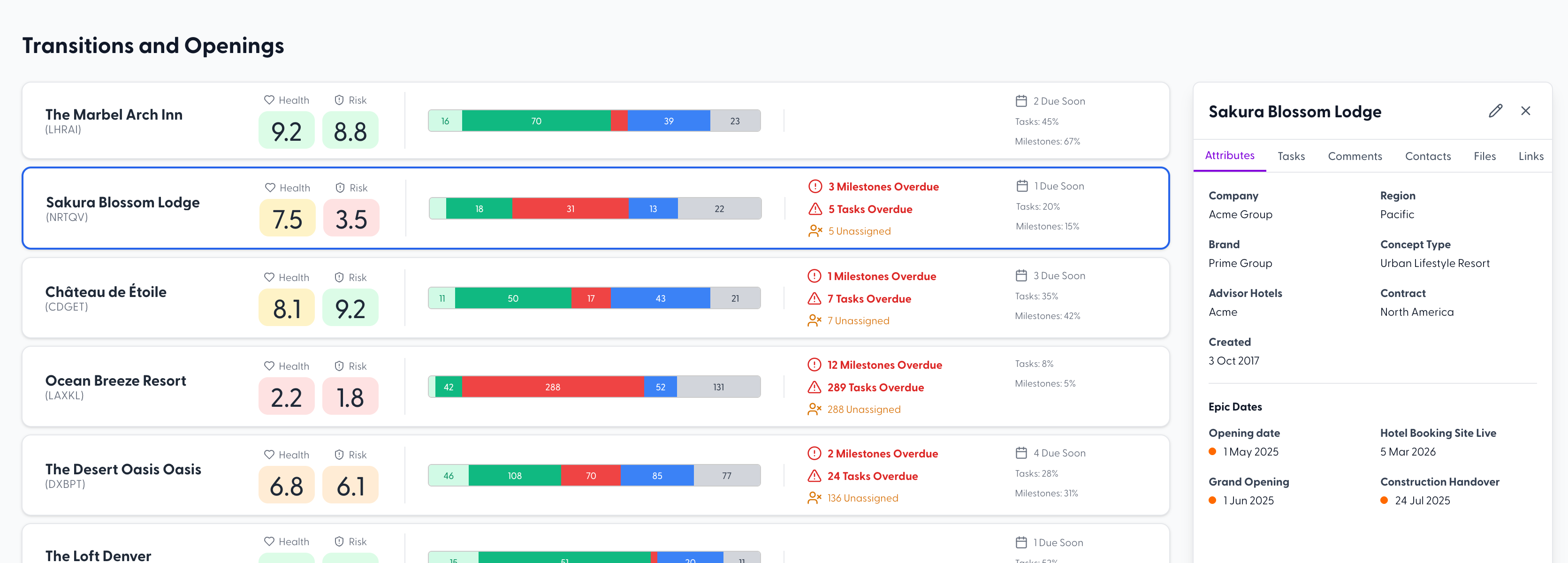
Locations

Every property, side by side, showing exactly how it is moving through its tasks.

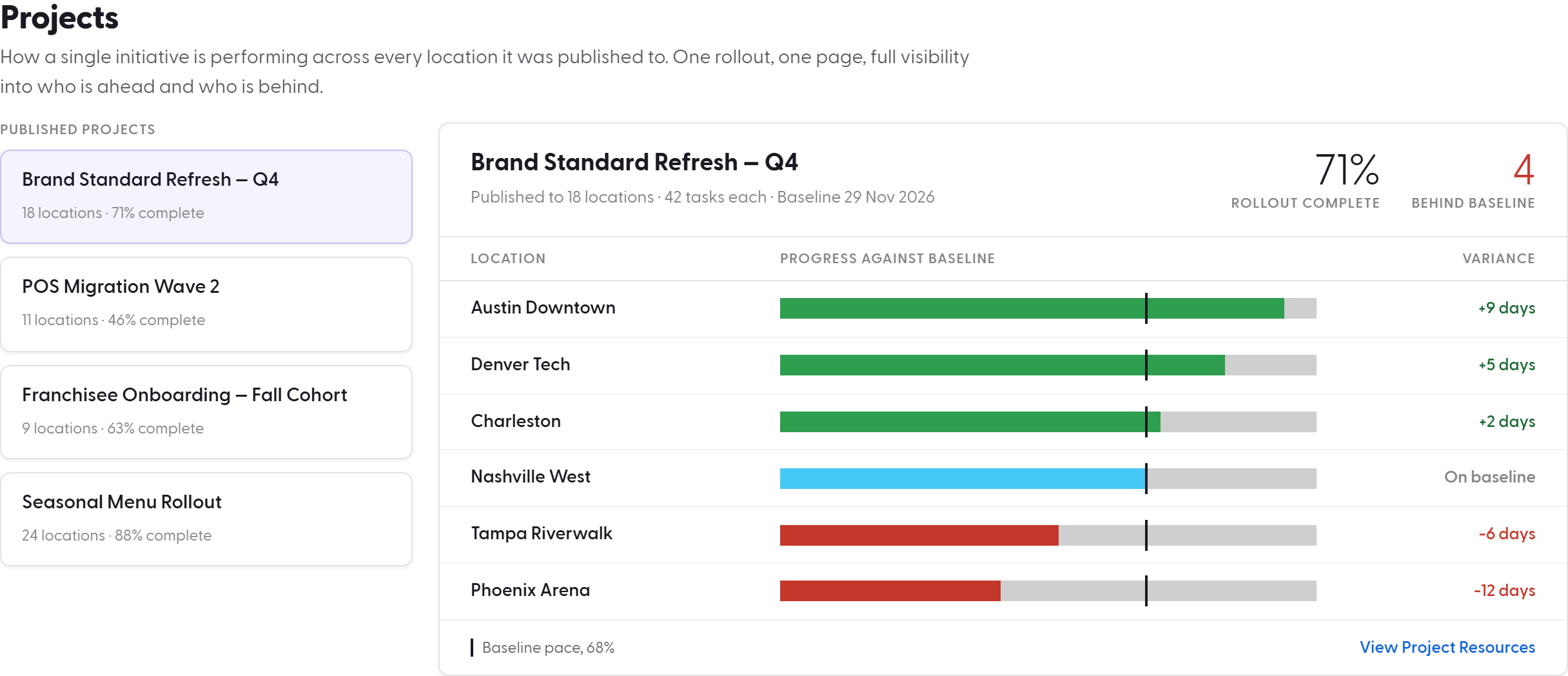
Projects

How a single initiative is performing across every location it was published to. One rollout, one page, full visibility into who is ahead and who is behind.

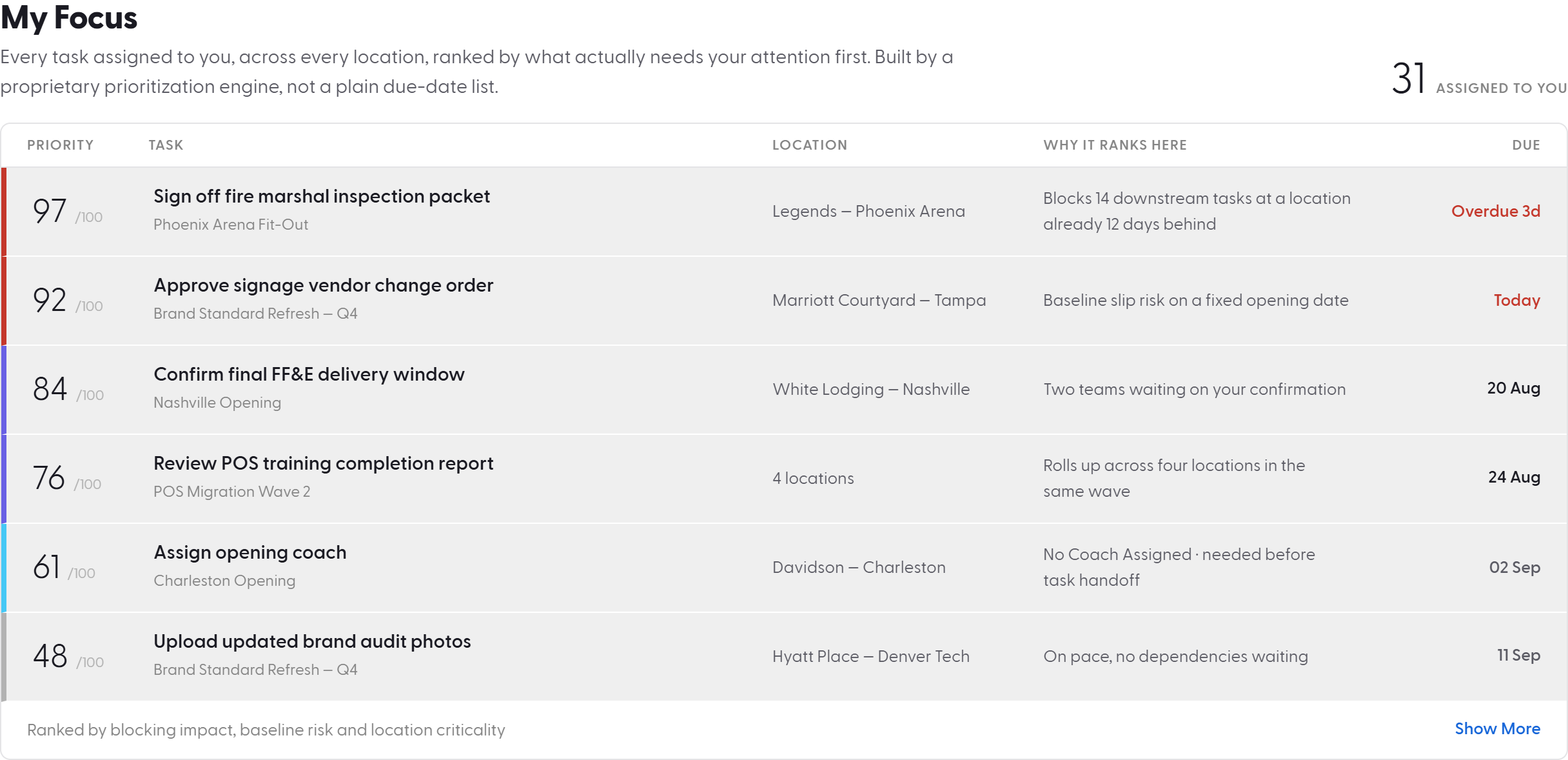
My Focus

Every task assigned to you, across every location, ranked by what actually needs your attention first. Built by a proprietary prioritization engine, not a plain due-date list.
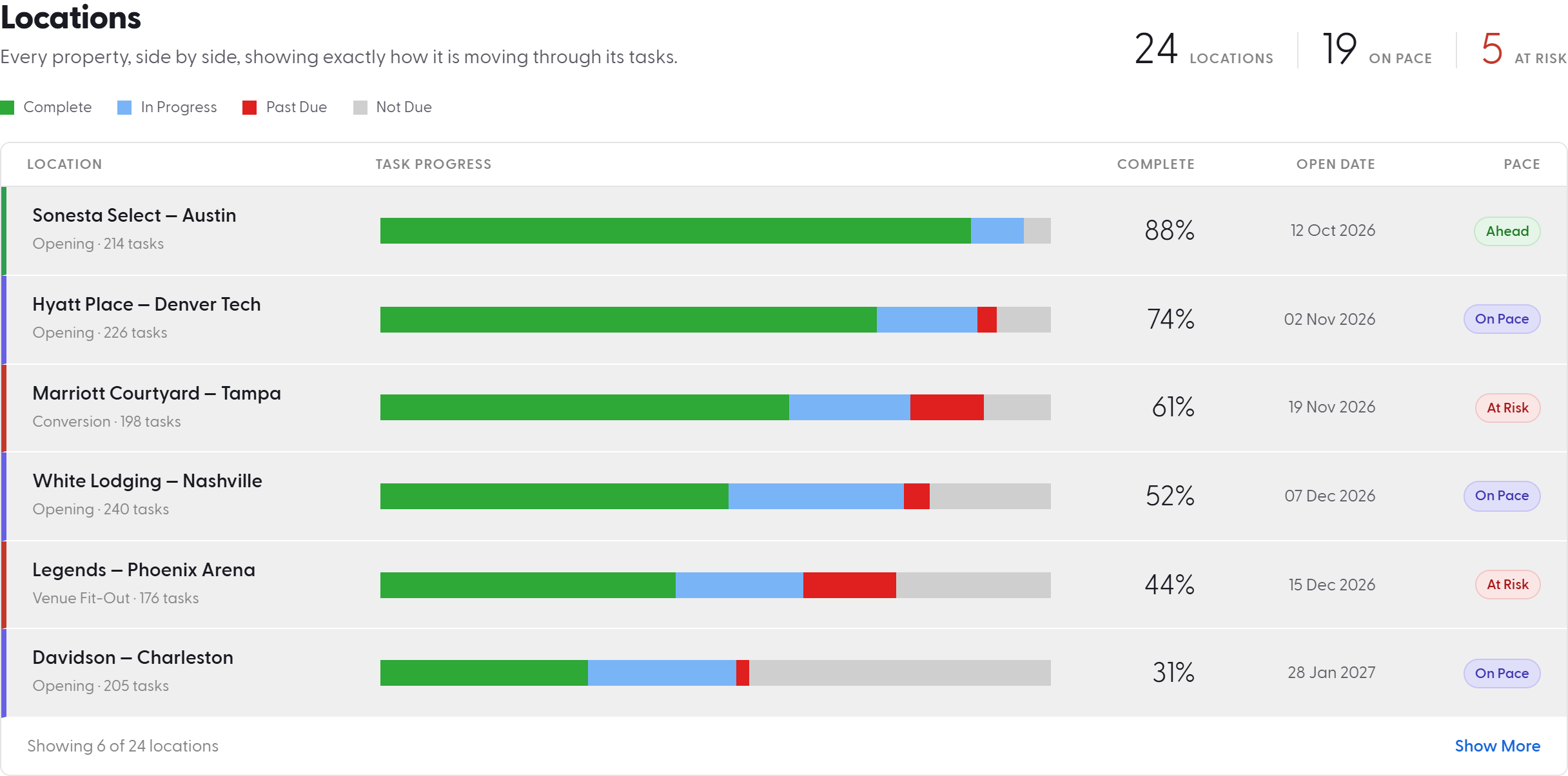
Health Score and Risk Score live here

Every location and every project carries a Health Score and a Risk Score, calculated near real-time and surfaced directly on this page. Nobody has to hunt for the problem location. Portfolio Health puts it in front of you, ranked.

A snapshot of Pacer's Health and Risk scores for Transitions and Openings projects at multiple locations.
Built Your Way

Tabs built around how you actually think about your business

Portfolio Health is not one fixed view. Build a tab scoped to a single project. Build another scoped to a group of projects. Set an Openings tab that shows only Openings data, with only the widgets that matter to an opening, and reserve a different tab, with different widgets, for a renovation program running in parallel.

One page, structured the way your business is actually structured, not the way a generic dashboard assumes it should be.

Built to Focus

Filter to the decision in front of you

A portfolio of hundreds of locations is not useful if someone has to scroll through all of them to find the six that matter right now.

  • Location filters narrow by brand, region, continent, and the attributes that define how your organization is structured.
  • Task filters narrow by department, milestone, phase, and the fields that define how your work is structured.

Set the filters once. Save the result as a personal view, and recall it from a dropdown the next time you log in. The filtered page built for Tuesday's leadership call is the same page waiting next Tuesday.

Built for Every Role

The page is not the same for everyone. That is the point.

Portfolio Health runs on the same Communities structure that governs task visibility everywhere else in Pacer. A regional VP sees every property in their region. A vendor sees only the tasks assigned to them. Two people can open the identical page and see two different truths, both correct, with nothing built or configured to make it happen.

Built to Last

Nothing to maintain

Add a location, and it appears on Portfolio Health automatically, already governed by the Communities, filters, and widgets your organization has already set. Retire a location, close a project, or inactivate a property, and Portfolio Health updates itself. No admin rebuilds a dashboard. No one remembers to add the new hotel to a report. The page maintains itself so your team does not have to.

Most tools call this a dashboard. A dashboard tells you where things stand. Portfolio Health tells you what to do next.