
How do I get emailed when a task is due?
Get Email Notifications When Tasks Are Due
Goal
Stay on top of your responsibilities by receiving email digests that notify you when tasks are upcoming or overdue.
Plan availability: Included in Jog, Run, and Sprint plans.
How To
- Click the user icon in the top right corner of the screen.
- Select Update Notification Settings from the dropdown menu.
- Choose the location(s) for which you want to receive email alerts.
- Toggle the Daily Digest and/or Weekly Digest to “On” (the toggle will turn green).
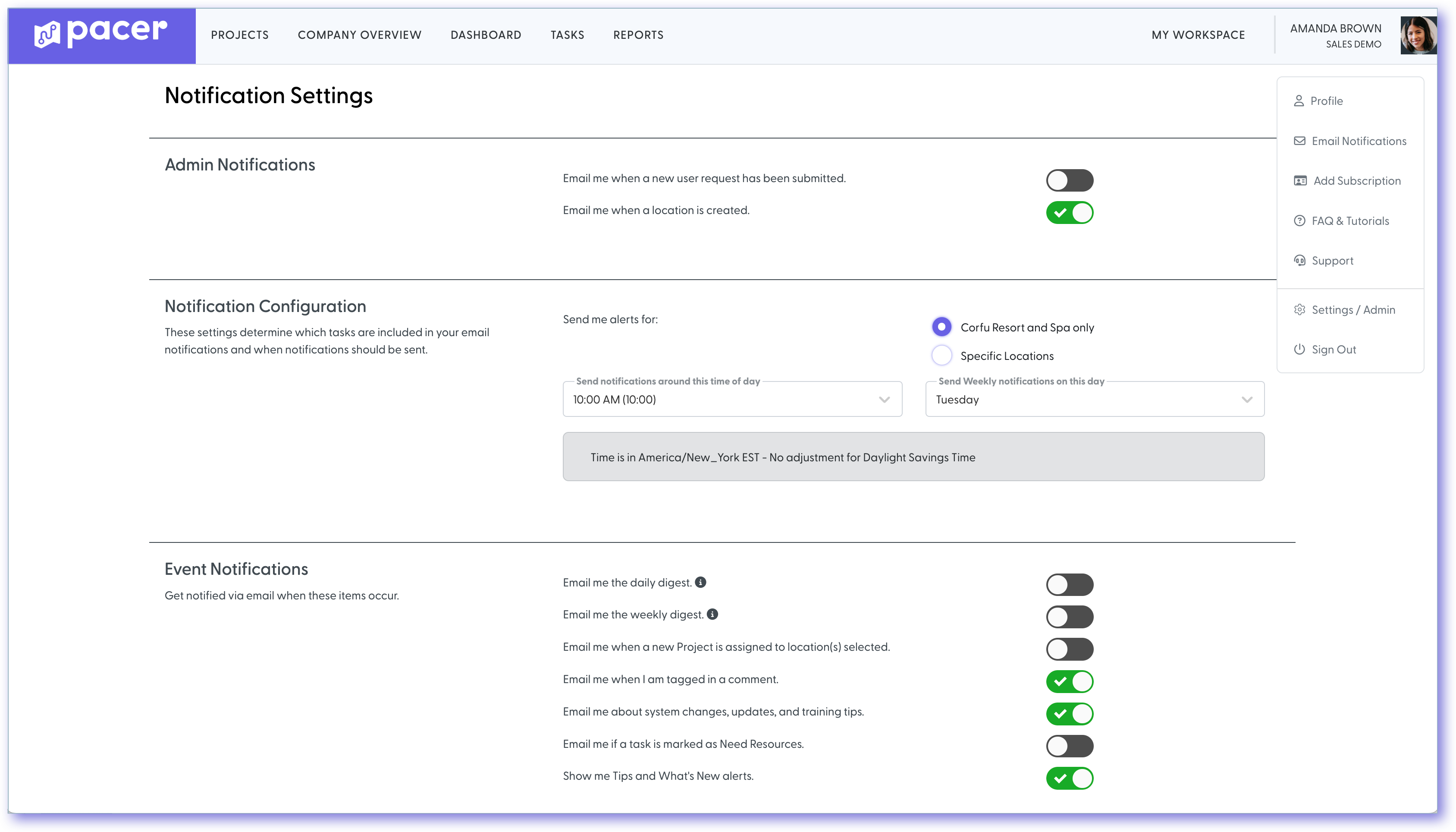
Tip: The Daily Digest includes tasks that were due the previous day, while the Weekly Digest shows tasks due soon and those already past due.
Still need help?
Our Client Success team is available 24/7/365 and happy to walk you through it.
Contact support