
How do I respond to a support ticket?
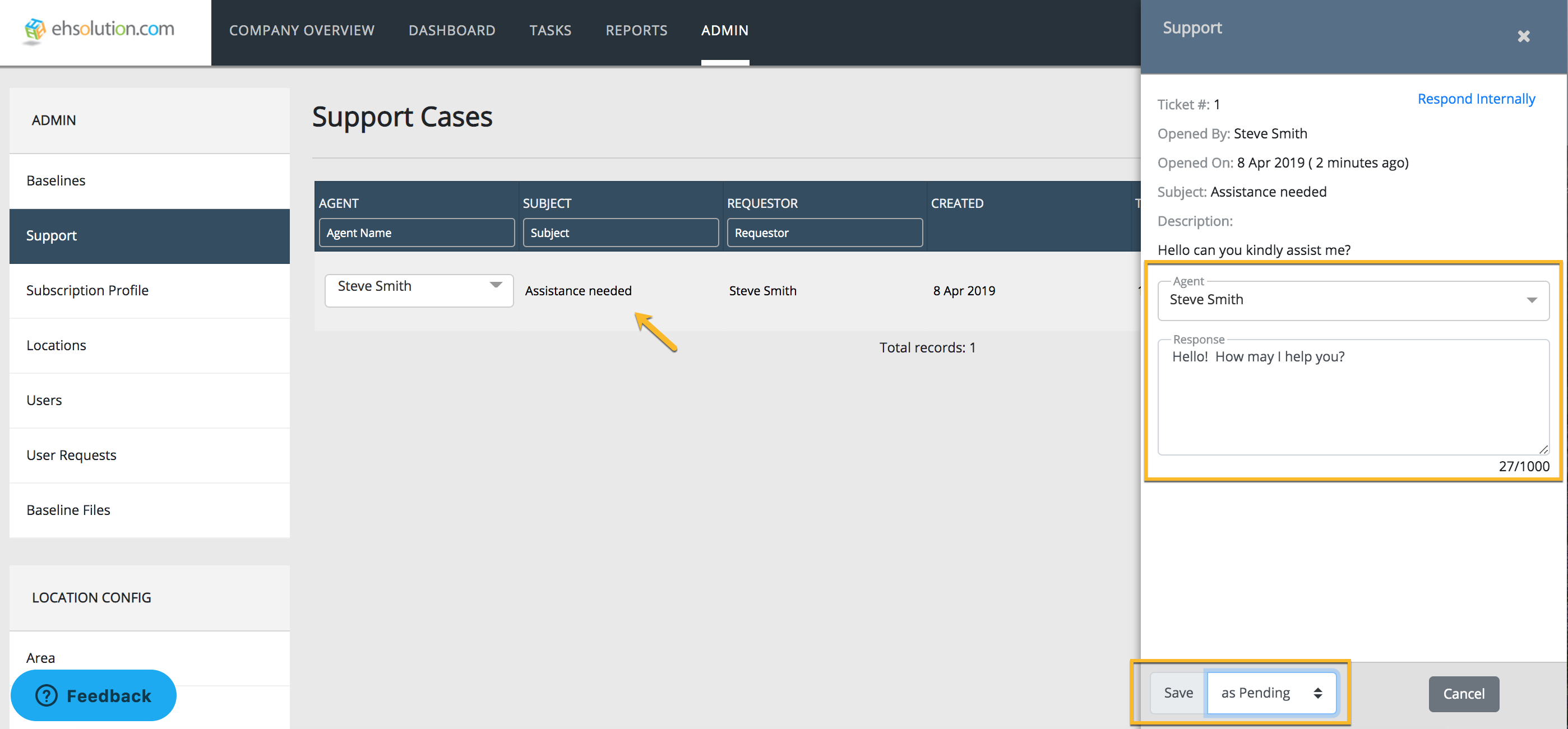
- Navigate to the Admin menu
- Select Support
- Select the support case that you’d like to respond to
- Type a response in the box
- Toggle the ticket status to Solved or Pending and Select Save
- The user will receive and email containing your response
Still need help?
Our Client Success team is available 24/7/365 and happy to walk you through it.
Contact support