
How do I Unpublish a singular baseline?
Goal
Admin users often create projects with multiple baselines, publishing only the relevant ones to each location or team. If a baseline was published by mistake or is no longer needed, you can unpublish just that single baseline without affecting others.
Plan availability: Available on all plans.
How To
- Click Projects in the top navigation bar.
- Navigate to the project where you want to unpublish a baseline.
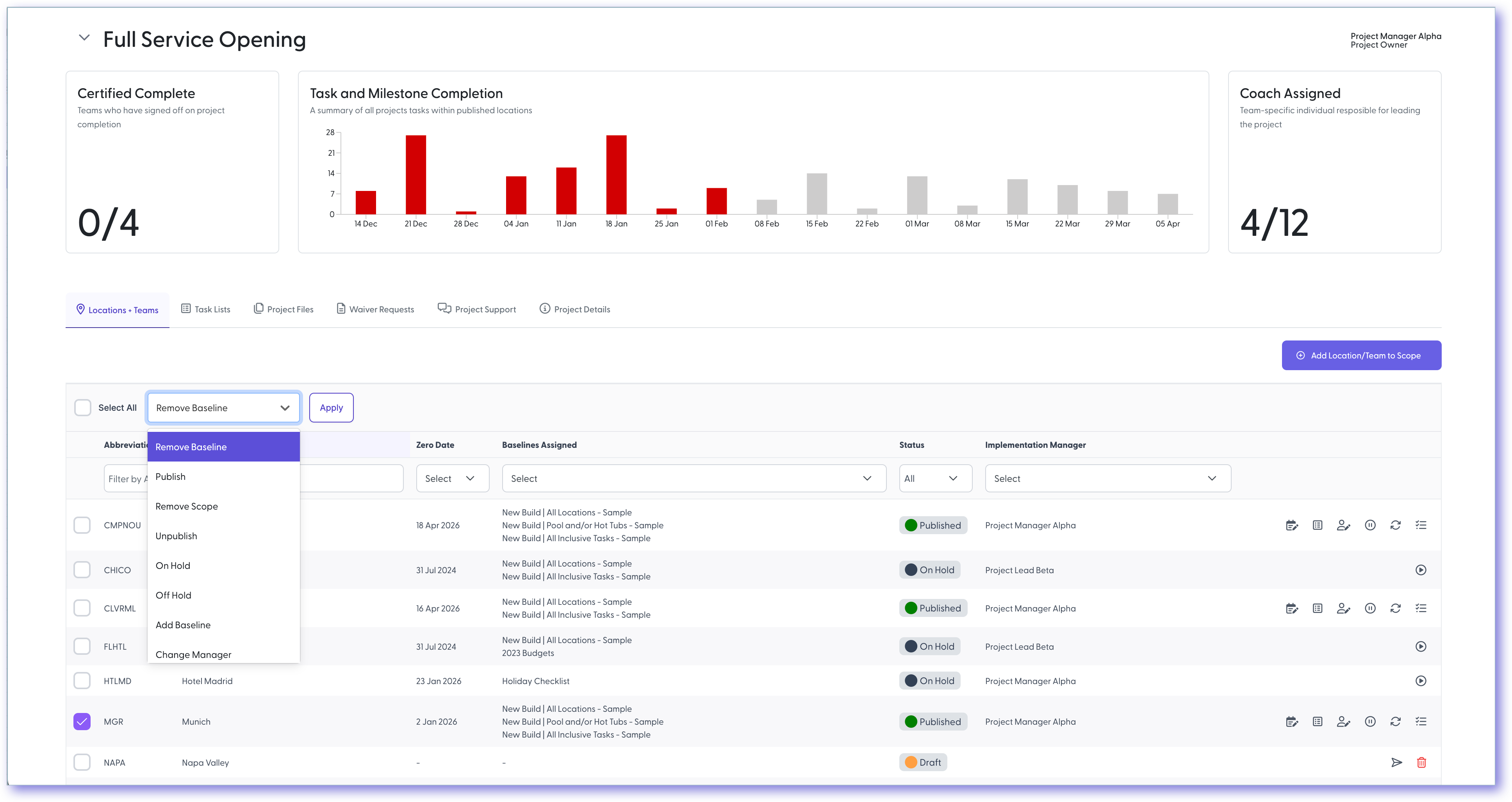
- Check the box to the left of the location or team name.
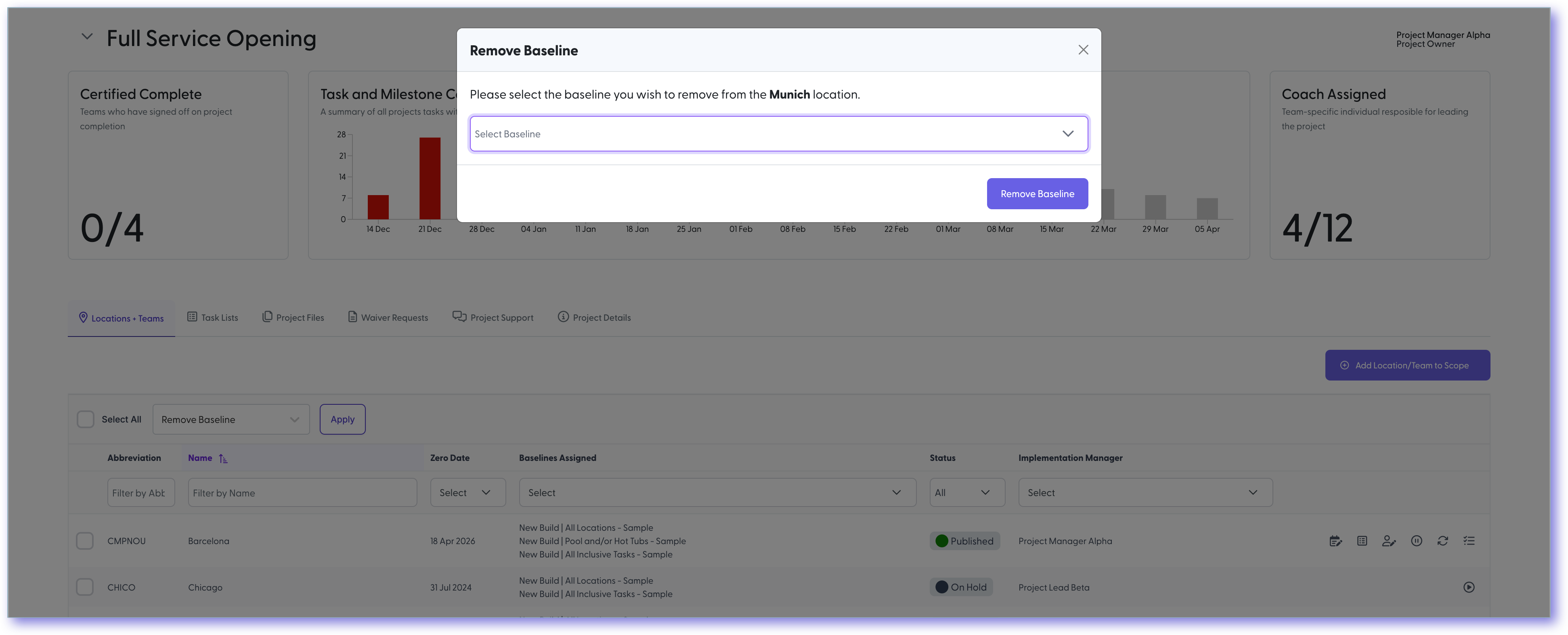
- At the top of the table, open the Bulk Actions dropdown menu and select Remove Baselines.
- Click Apply to confirm the removal.
Note: This option is only available if more than one baseline is published to the location or team. If only one baseline exists, you'll need to revoke the entire project and re-publish as needed.
Still need help?
Our Client Success team is available 24/7/365 and happy to walk you through it.
Contact support