
How do I copy a baseline?
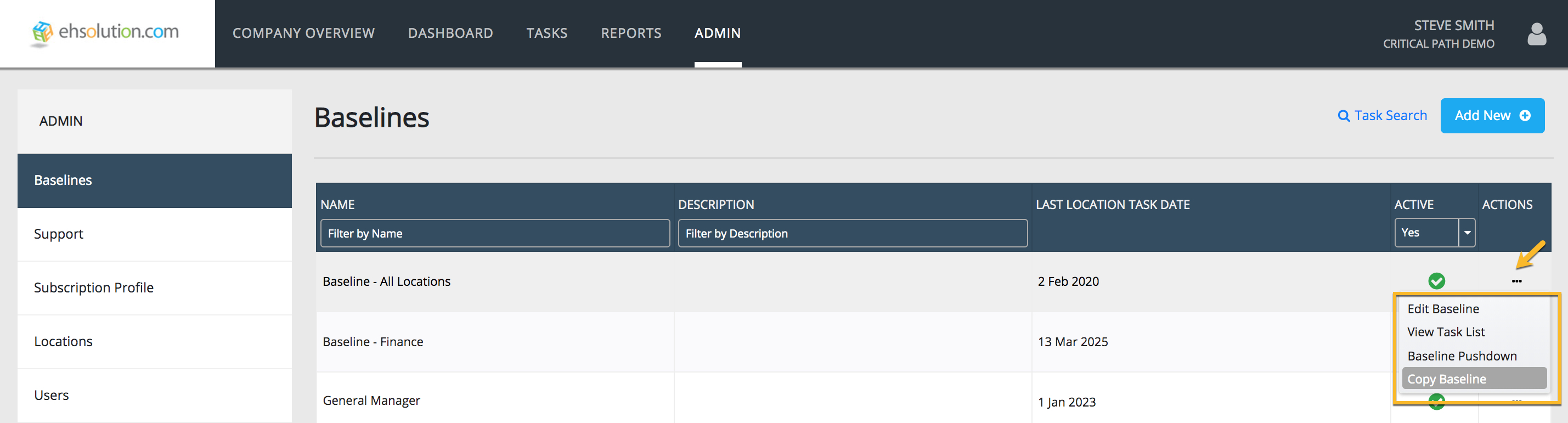
- Select Admin on the header bar
- Select Baselines on the left-hand menu
- On the Baseline you’d like to copy, Select the “…” in the Actions column
- On the dropdown menu, Select “Copy Baseline”
- Enter the name for your copied Baseline and a description
- Select Save button
- To edit the details, Job Titles and User edit access for your new Baseline, Select on the “…” in the Actions column and Select “Edit Baseline”
Still need help?
Our Client Success team is available 24/7/365 and happy to walk you through it.
Contact support