
How do I remove a task from a location?
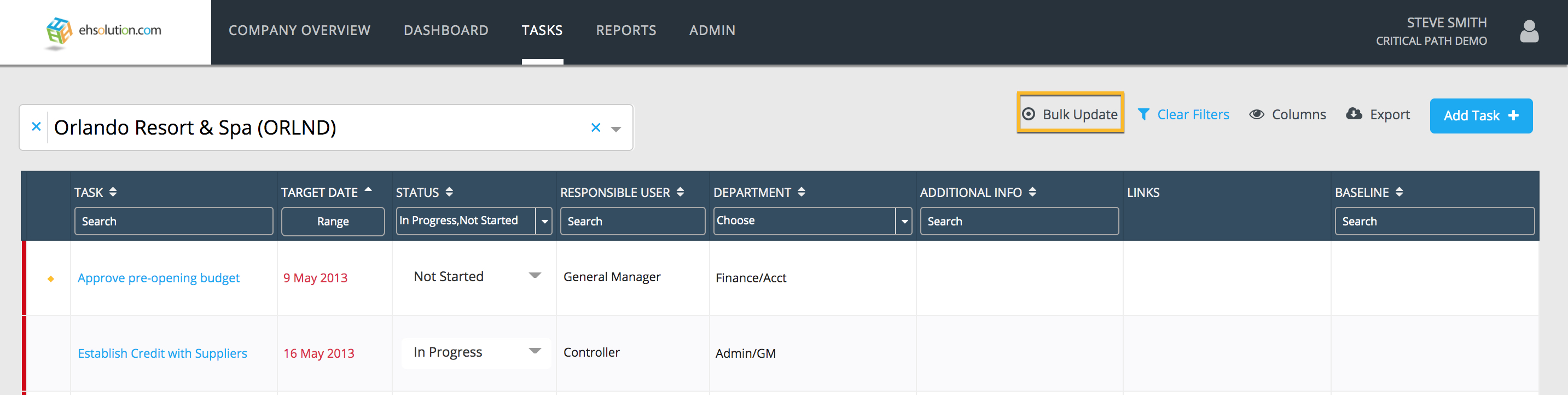
To remove a Task from the Location’s Tasks page:
- Select the Bulk Update option on the top menu
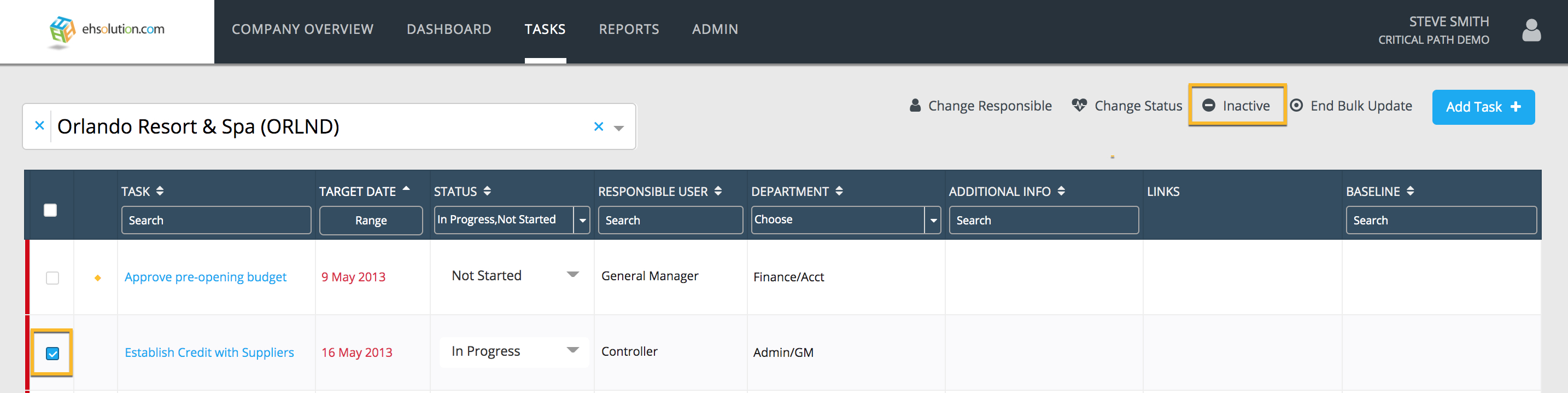
- Check the box of the task you’d like to remove in the first column
- Select the Inactive option on the top menu
-
You will receive either:
- A success message that your task was inactivated
- An error message if your task is linked to other tasks as a contingent task (may not apply to your subscription)
- A successfully inactivated task will no longer appear on the Location’s Tasks page but will remain on the Baseline and at other Locations
Still need help?
Our Client Success team is available 24/7/365 and happy to walk you through it.
Contact support