
How do I create a new baseline?
The baselines functionality is available to Moderator users and higher. To create a new Baseline:
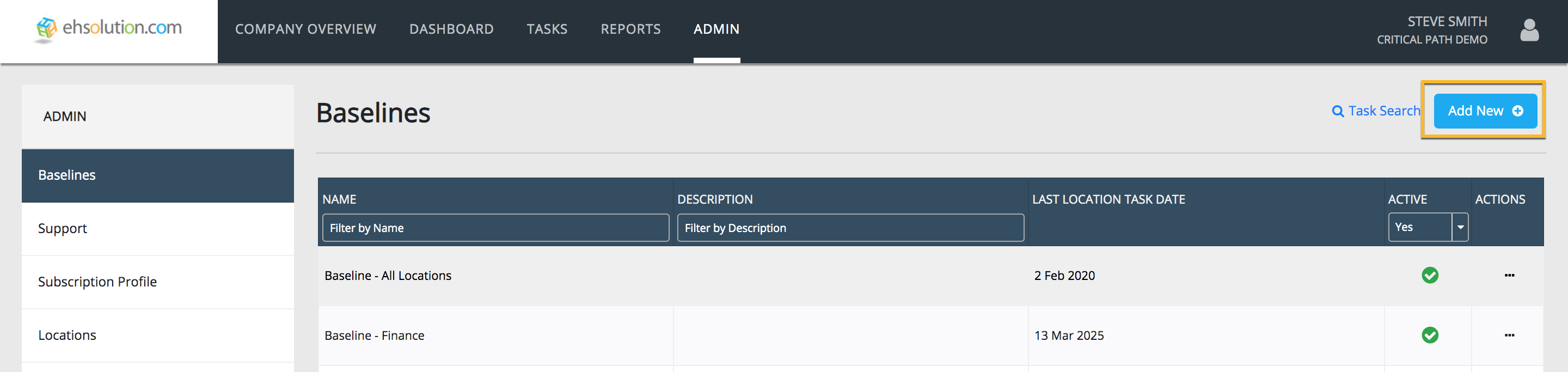
- Select Admin on the header bar
- Select Baselines on the left-hand menu
- Select the blue “Add New” button at the top right of the Baselines page
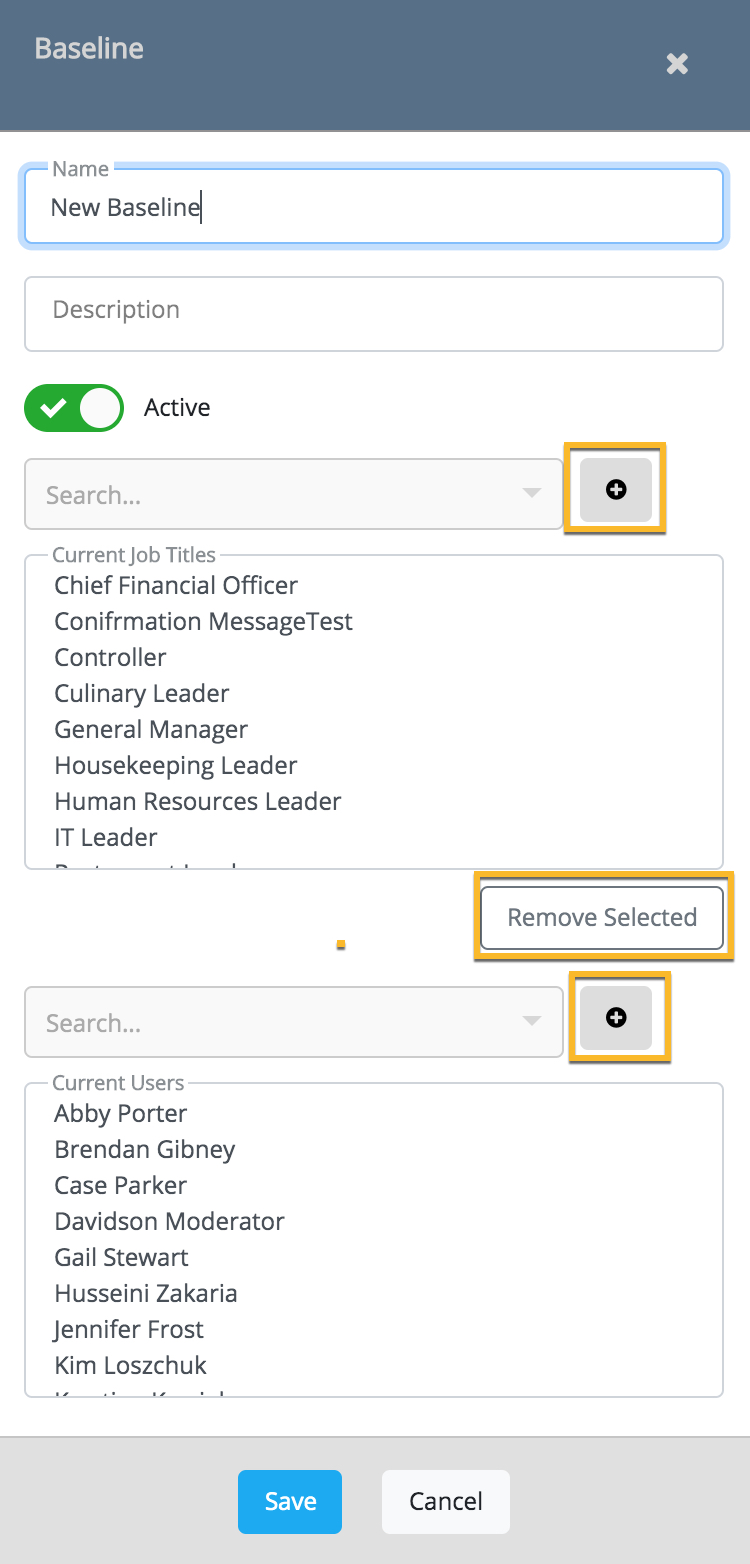
- Enter the Baseline details, select the Job Titles to appear in the tasks and the Users who will have access to edit the Baseline
- Select Save button
- The new Baseline will now appear in the Baselines list – Select the Baseline name to create new tasks and/or import a baseline task list
Still need help?
Our Client Success team is available 24/7/365 and happy to walk you through it.
Contact support