
How do I tag or mention someone in a task comment?
Goal
Comment on tasks and tag relevant users. Use comments to share updates, raise roadblocks, or ask questions. You're able to tag a user as long as they have access to Pacer. They’ll receive an email notification with a link to the task details, allowing them to respond or take further action.
How To
- Select the Task to open the Task Details drawer
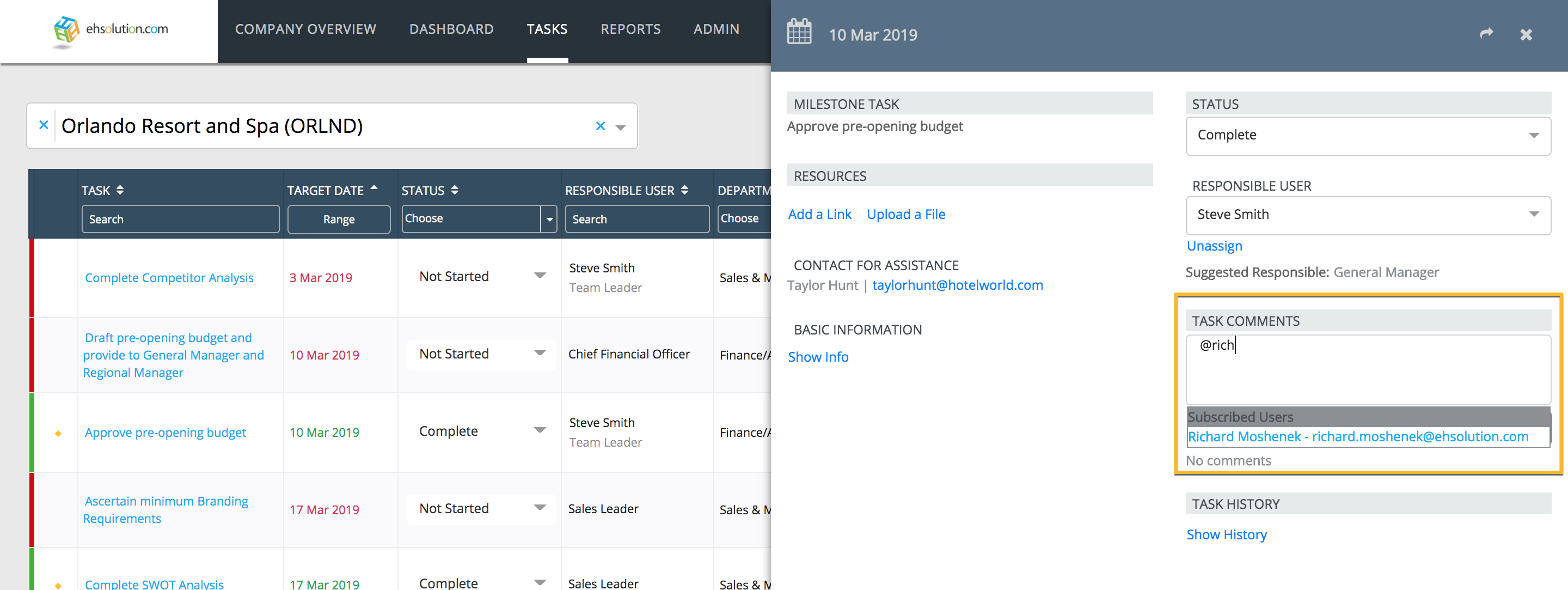
- In the “Add Comment” box, type an @ symbol and start typing the individuals name
- A list of available Users to tag will appear in a dropdown menu. The more characters you type, the shorter the list of results will be
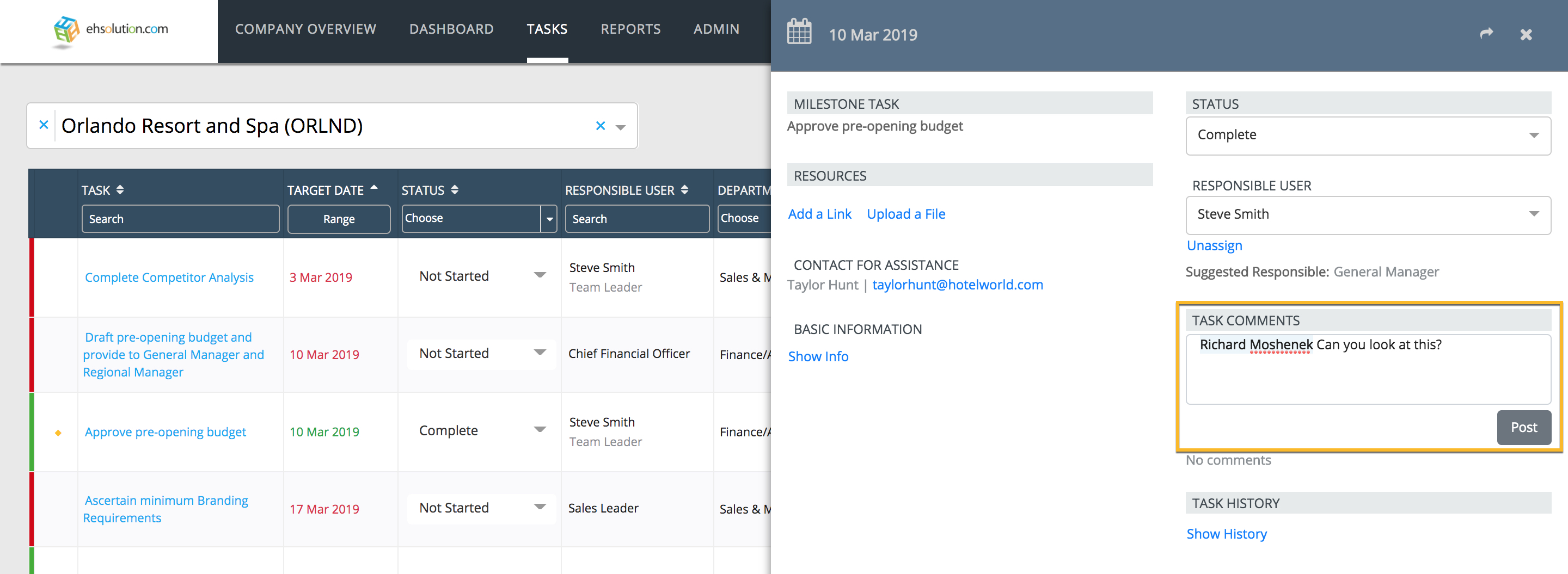
- Select the User to tag and continue typing your comment
- Select Post button
- The user will receive a notification that they were tagged in a comment
- The comment will appear in the Task Details
Note, only individuals who have access to the location can be tagged in a Comment.
Still need help?
Our Client Success team is available 24/7/365 and happy to walk you through it.
Contact support