
Is There a Place to View Task History in Pacer?
Goal
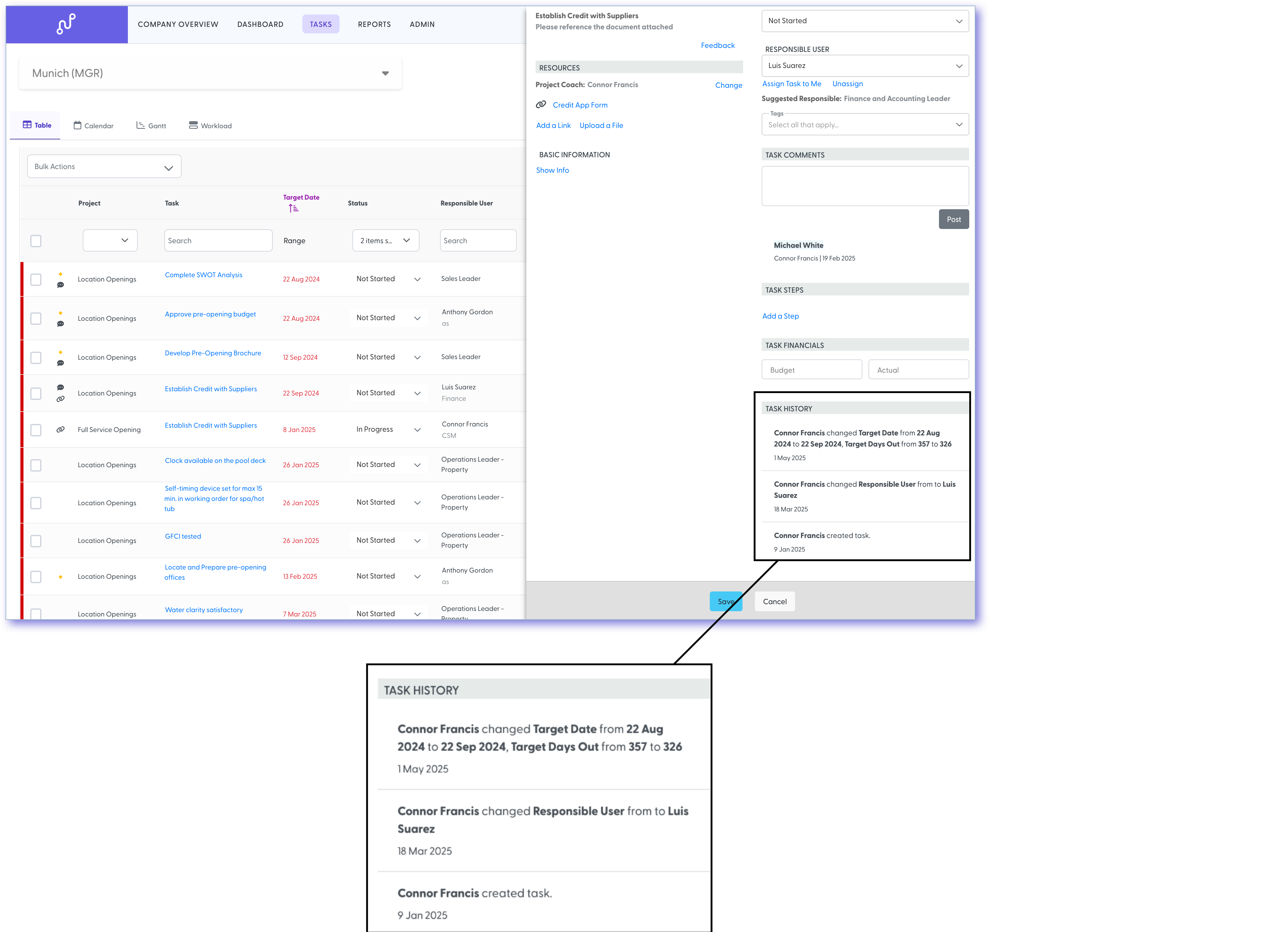
To view the historical activity of a task. Pacer automatically logs key changes, including:
-
The date the task was created
-
Updates to the target date and start date of a task
-
Changes to the responsible user (including who made the change and from whom to whom)
-
Changes to the task's status (including who changed it and the before/after status)
In addition, these changes are also logged:
- Updates to the task name/instructions and additional info
- Changes to the budget and actual values, if applicable.
How To
-
Navigate to the Task page and click on any task to open the task details drawer.
-
In the bottom-right corner of the task drawer, click the “Show History” button.
-
This will display a full log of:
-
All target date changes
-
All responsible user changes (with who made the change)
-
All task status updates (with before/after values and the person who made the change
-
Still need help?
Our Client Success team is available 24/7/365 and happy to walk you through it.
Contact support