
How do I change the Responsible for multiple tasks?
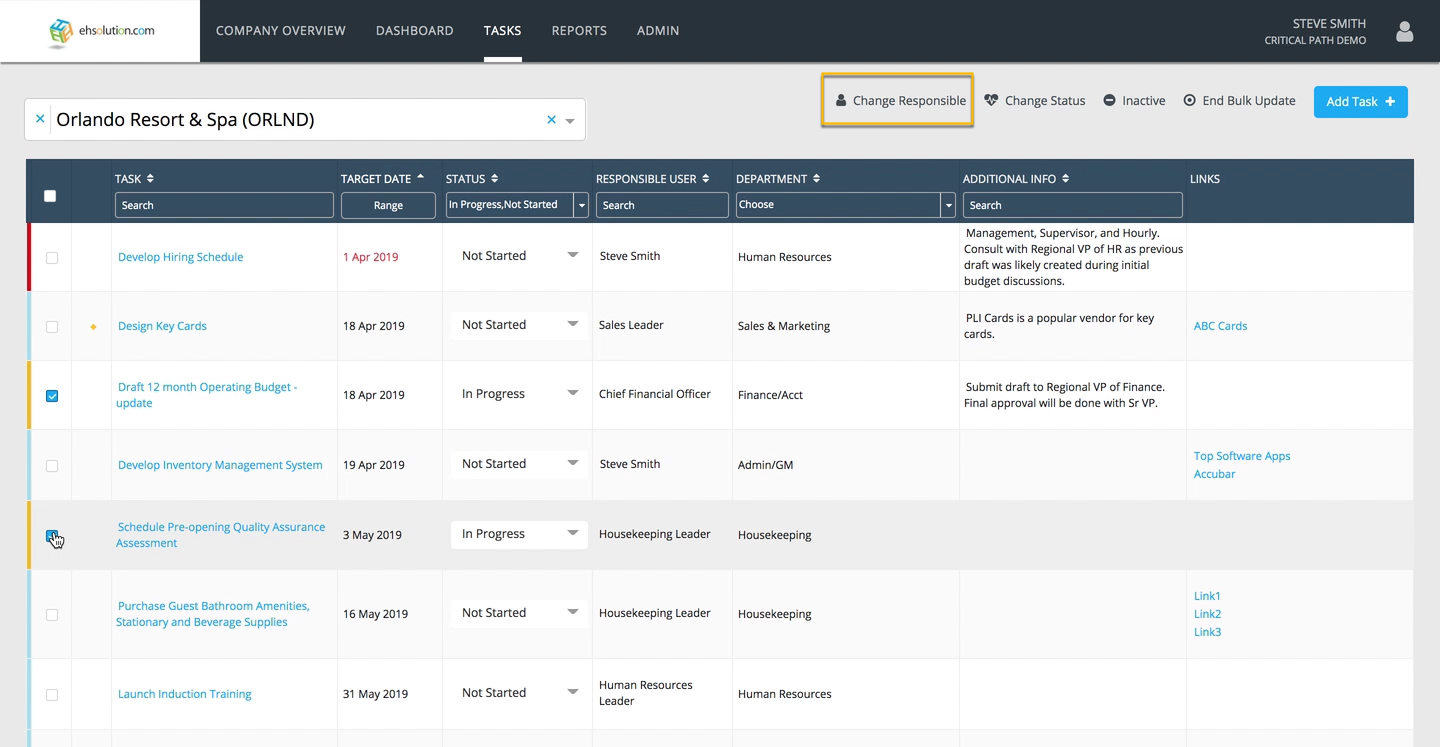
- On the Tasks listing, select the “Bulk Update” link at the top of the list
- Select the check boxes of the Tasks you would like to update
- Select “Change Responsible” at the top of the list
- Search for the User and select the person
- Select the Save button
Still need help?
Our Client Success team is available 24/7/365 and happy to walk you through it.
Contact support